What is urgent, first
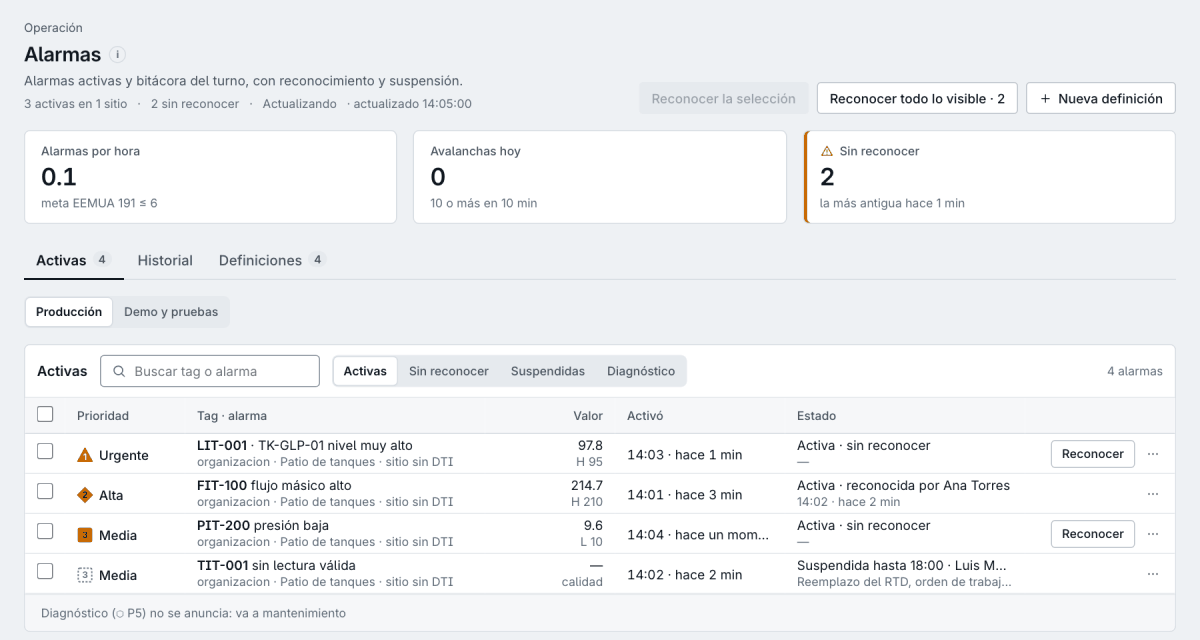
Alarms arrive by priority, with shape, number and word. Your team handles what matters most first.
IKNAL SCADA · Supervision
IKNAL SCADA shows your stations the way your team knows them, with alarms by priority and every value with its quality and its age. What is urgent shows first, and the cause of every problem is one click away.
01Benefits
Alarms arrive by priority, with shape, number and word. Your team handles what matters most first.
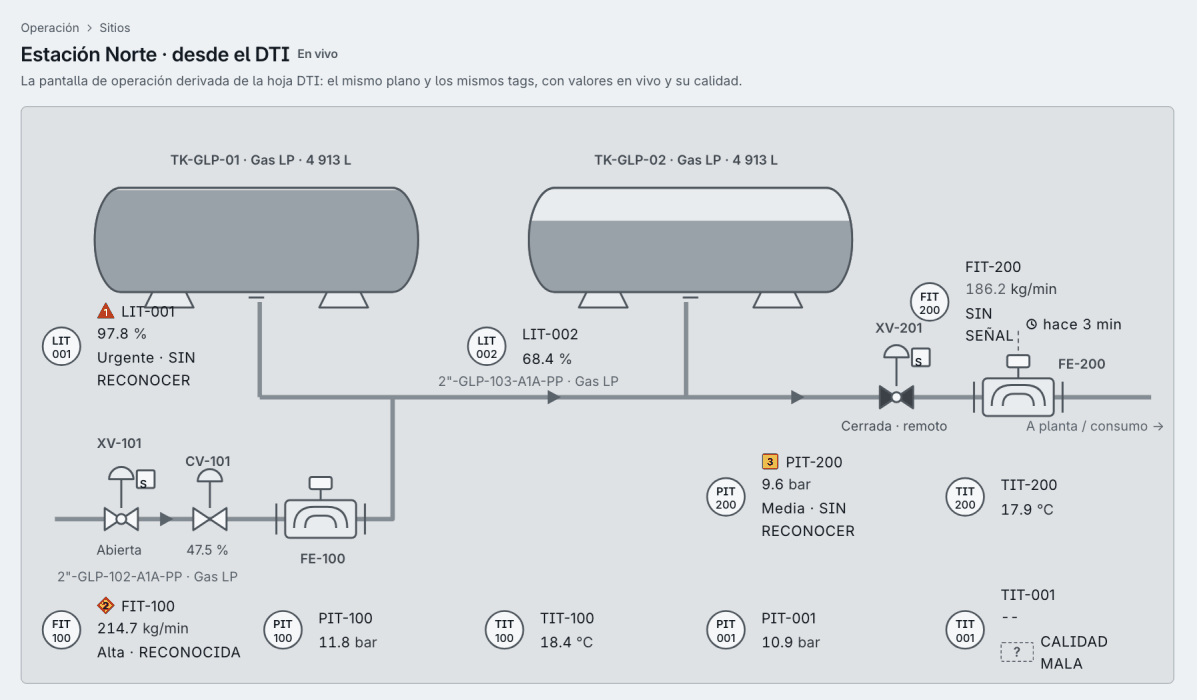
From the station overview to the detail of an instrument: its value, its alarms, its trend and its place in the P&ID.
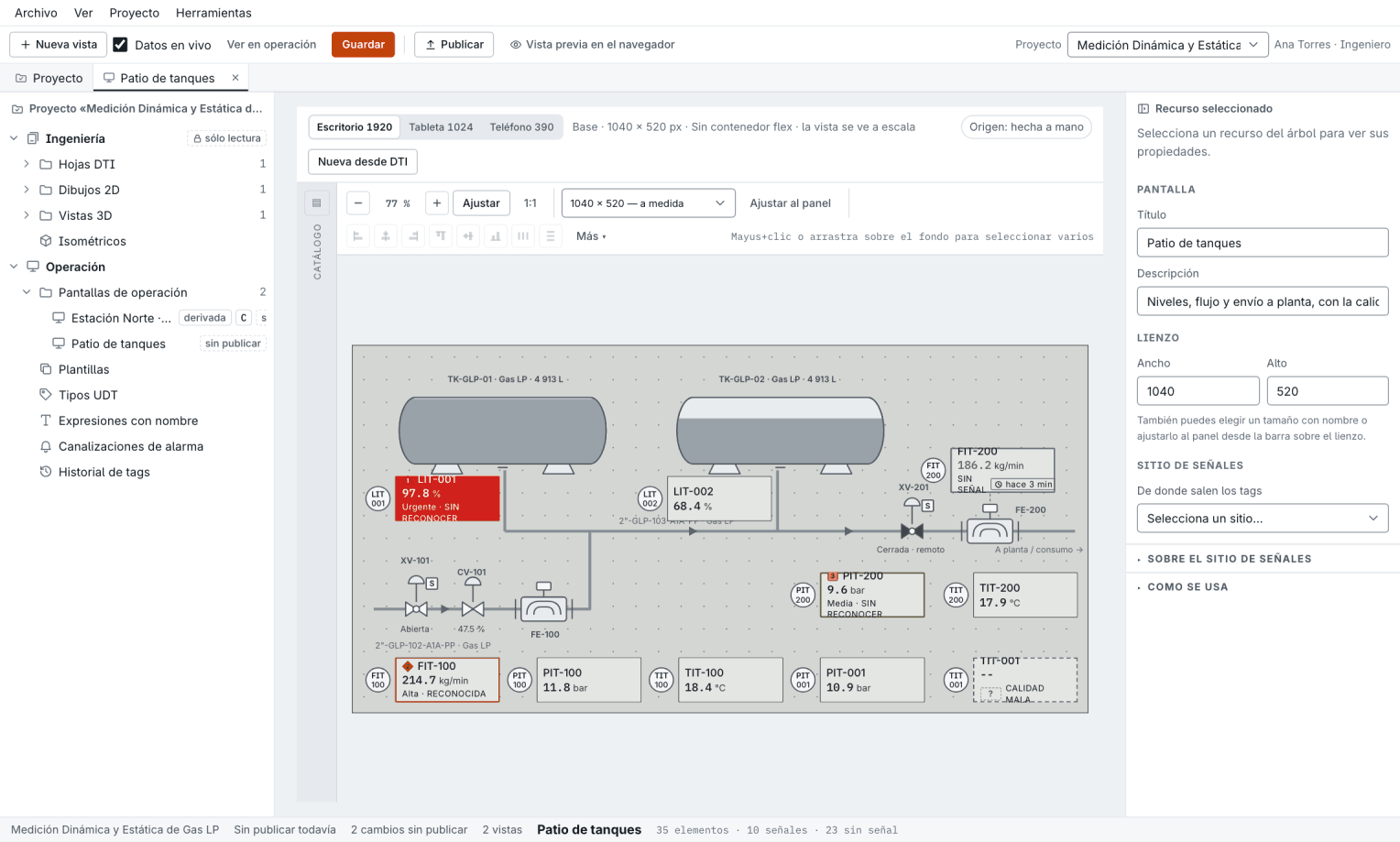
Operator displays are built from your P&ID, with the same tags. What engineering designs is what the operator sees.
In the browser, in the desktop client of the control room and in a phone view for walking the station.
02Capabilities
03Editions
For one machine, process or panel: an operator screen next to the equipment.
For the whole plant: several operator stations, users with roles and long-term history.
The SCADA as part of the platform, next to history, measurement, compliance and engineering.
04Integration
Scheduled reports delivered by email, or by webhook to your systems.
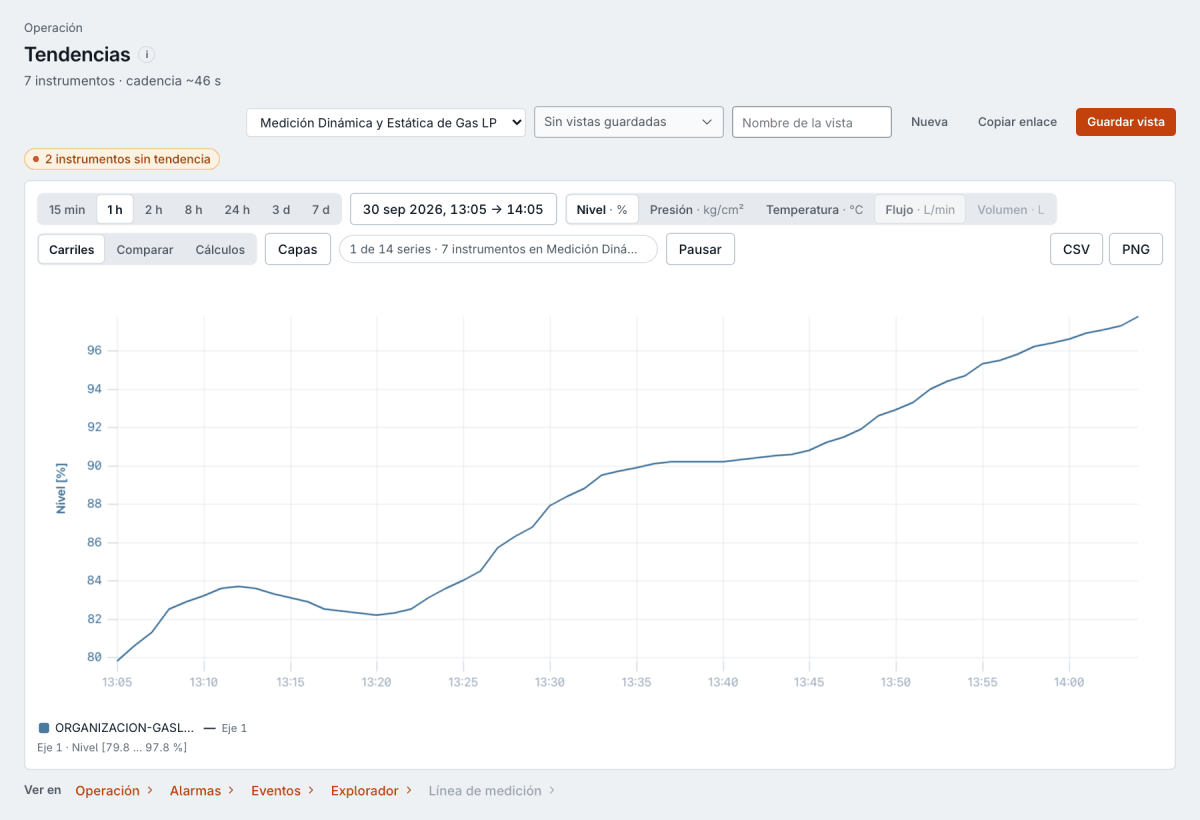
Every trend exports to CSV and PNG, and every saved view can be shared with a link.
The same sites, tags and users as history, measurement and compliance.
05IKNAL SCADA
| Access | web browser · desktop client · phone view |
|---|---|
| Desktop | Windows · macOS · Linux, with kiosk mode |
| Alarms | ISA-18.2, with EEMUA 191 metrics |
| Displays | ISA-101, built from the P&ID or in the Designer |
| Trends | export to CSV and PNG |
| Reports | scheduled, by email and webhook |
06Frequently asked questions
IKNAL SCADA is AIVARA's supervision software for a whole plant: ISA-101 operator displays, alarms by priority to ISA-18.2, trends and scheduled reports, in the browser, the desktop client and on the phone.
In the web browser, in the control room's desktop client for Windows, macOS and Linux, and in a phone view to walk the station.
Alarms follow ISA-18.2, with load metrics to EEMUA 191, and displays follow ISA-101: neutral backgrounds, colour reserved for alarms and every value's quality visible without relying on colour.
From each station's P&ID sheet, with the same tags, or in the Designer, which builds every view once for desktop, tablet and phone.
With scheduled reports by e-mail and webhook, trend export to CSV and PNG, and saved views shared with a link.
IKNAL HMI is its edition for one machine or panel, with the same screens. In IKNAL Suite, IKNAL SCADA shares sites, tags and users with history, measurement and compliance.
Backed by
Next step
Tell us what you have in the field and what you need to see. We will prepare a demo around a case like yours and, if we move forward, a written proposal.