No risk to the process
Connect your equipment with no risk of disturbing the process: IKNAL Gateway only reads its values, on equipment in service too.
IKNAL Gateway · Industrial connectivity
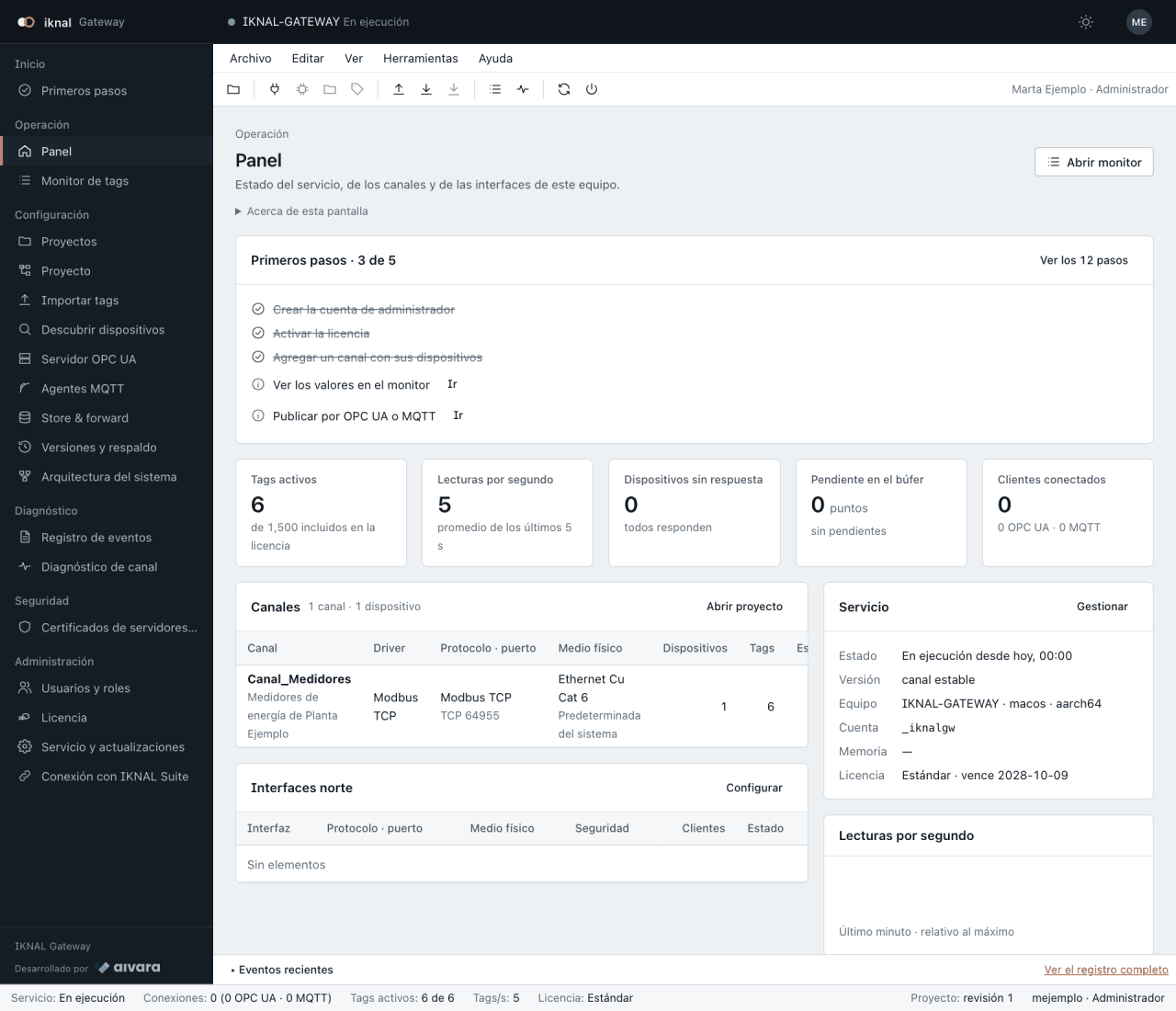
IKNAL Gateway reads your meters, PLCs, relays and flow computers, and delivers every value with its quality and its time to your SCADA, your historian or your cloud. It installs on a computer at your plant and is configured from the browser.
01Benefits
Connect your equipment with no risk of disturbing the process: IKNAL Gateway only reads its values, on equipment in service too.
More than 10 industrial protocols for your new equipment and for what you already have installed.
If the network or the destination stops answering, every value waits on the computer and is delivered in order when they come back.
It publishes over OPC UA and MQTT, the standards your SCADA, your historian, your MES and your cloud already speak.
02Protocols
The protocols of each industry, in one product. Your licence includes the ones your site uses.
Modbus TCP and RTU · OPC UA · MQTT · Sparkplug B
DNP3 · IEC 60870-5-104 · IEC 61850 · DLMS/COSEM
Enron Modbus · flow computers over Modbus
Siemens S7 · EtherNet/IP
BACnet/IP
Does your equipment use another protocol? Tell us which one and we will work out with you how to connect it.
03Capabilities
04Editions and licensing
Licensed per computer, activated without internet, with a demo to try on your own equipment.
Each edition differs in the number of signals and the protocols it includes. When your site grows, you extend the licence without reinstalling.
It is activated on site, on isolated networks too. It needs no cloud to read or to publish.
Try it with all its protocols on your site before you decide. We set out the edition in the proposal.
05Integration
Any OPC UA client receives your values, with certificates you approve.
It publishes JSON or Sparkplug B, with topics per site and device, for your MES and your analytics.
The operator panel reads the Gateway's values, so you never configure the equipment twice.
06IKNAL Gateway
| Systems | Windows · macOS · Linux · container |
|---|---|
| Installation | a system service on a computer at your plant |
| Field protocols | more than 10: Modbus, OPC UA, DNP3, IEC 104, IEC 61850, S7, EtherNet/IP, BACnet, MQTT… |
| Publishing | OPC UA · MQTT · Sparkplug B, with store & forward |
| Configuration | from the browser, no cloud |
| Licence | per computer, activated without internet |
07Frequently asked questions
IKNAL Gateway is AIVARA's industrial communications gateway. It reads meters, PLCs, relays and flow computers over more than 10 industrial protocols and delivers every value, with its quality and time, to your SCADA, historian, MES or cloud over OPC UA and MQTT.
Modbus TCP and RTU, OPC UA, MQTT and Sparkplug B, DNP3, IEC 60870-5-104, IEC 61850, DLMS/COSEM, Enron Modbus, Siemens S7, EtherNet/IP and BACnet/IP. It publishes to your systems over OPC UA, MQTT and Sparkplug B.
Windows, macOS and Linux as a system service, or as a container, on a computer at your plant. It is configured from the browser and needs no cloud.
No. IKNAL Gateway only reads your equipment's values, also on equipment in operation, so you connect it with no risk of disturbing the process.
Every value waits on the computer (store & forward) and is delivered in order when the network or the destination comes back, so your history stays complete.
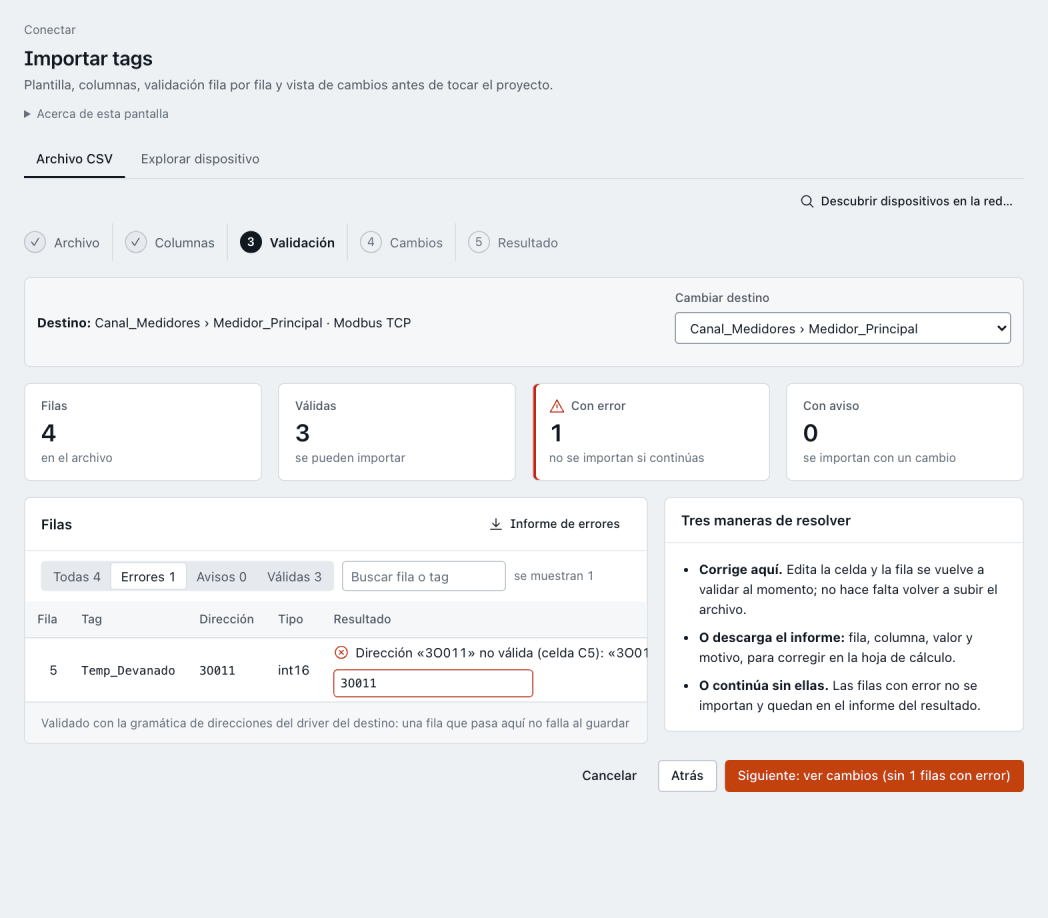
Yes. IKNAL Gateway imports your tags from KEPServerEX or from a template, with a row-by-row review before any change is applied.
Per computer, with offline activation, also on isolated networks. The edition depends on your site's signal count and protocols, and it grows without reinstalling.
Backed by
Next step
Tell us what you have in the field and what you need to see. We will prepare a demo around a case like yours and, if we move forward, a written proposal.