Everything on the panel
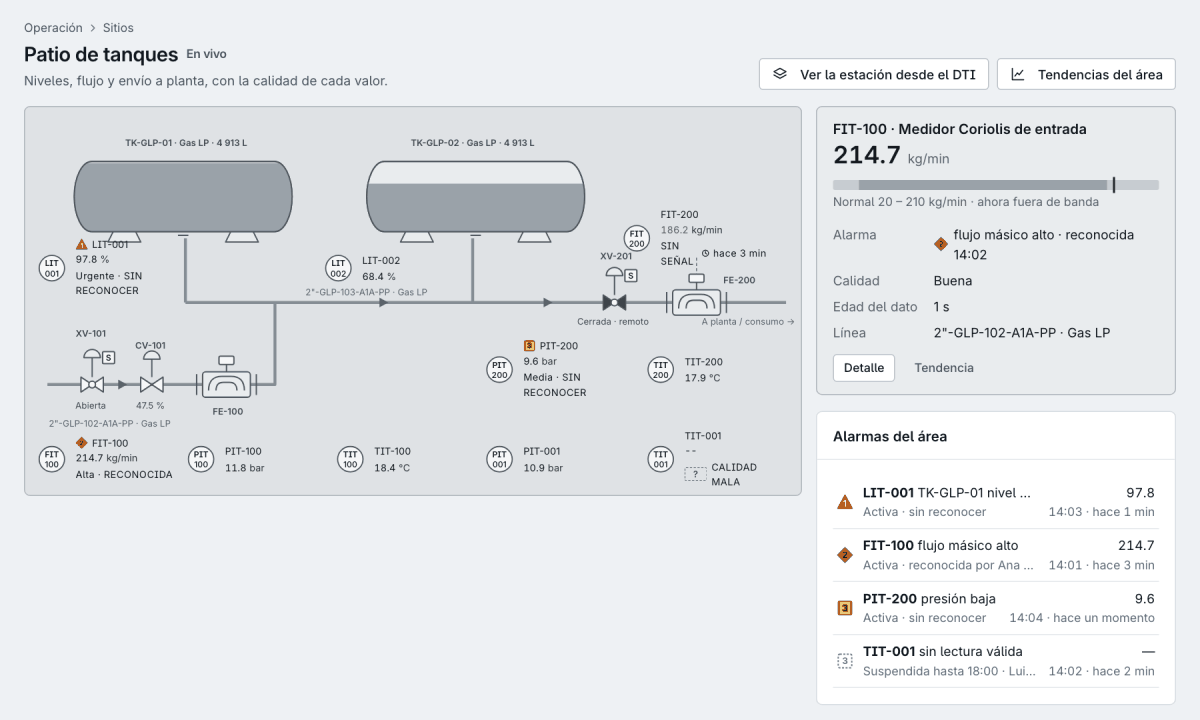
Values, alarms and trends full screen, next to the machine. Only an administrator can leave kiosk mode.
IKNAL HMI · An IKNAL SCADA edition
IKNAL HMI is the IKNAL SCADA edition for one machine, process or panel. It runs on a panel PC next to the equipment and shows alarms and trends where the work happens. When your operation grows, your screens come with you into the full SCADA.
01Benefits
Values, alarms and trends full screen, next to the machine. Only an administrator can leave kiosk mode.
It reads your equipment with the same protocols as IKNAL Gateway, or takes the values from an IKNAL Gateway or any OPC UA server.
Neutral backgrounds, colour kept for alarms and the quality of every value visible without relying on colour.
The same displays open in IKNAL SCADA. Moving to the full SCADA is a licence change, with no redesign and no migration.
02Capabilities
03Editions
Choose by the scope of your operation. If you start with IKNAL HMI, your displays come with you into the SCADA.
See IKNAL SCADA| Aspect | IKNAL HMI | IKNAL SCADA |
|---|---|---|
| Scope | One machine, process or panel | The whole plant |
| Where it runs | A panel PC next to the equipment | A central server with operator stations |
| History | Local, to review the shift | Long term |
| Alarms | Local, on the panel | Managed, with shifts and a log |
| Users | The panel's operator | Many users with roles and permissions |
04IKNAL HMI
| Where it runs | a panel PC in kiosk mode |
|---|---|
| Systems | Windows · macOS · Linux |
| Reading | IKNAL Gateway protocols · IKNAL Gateway · OPC UA servers |
| Alarms | local, ISA-18.2 |
| Displays | ISA-101, the same as IKNAL SCADA |
05Frequently asked questions
IKNAL HMI is the IKNAL SCADA edition for one machine, process or panel. It runs on a panel PC next to the equipment, in kiosk mode, and shows values, alarms and trends where the work happens.
IKNAL HMI covers one machine or panel, with local history and alarms on the panel. IKNAL SCADA covers the whole plant, with a central server, operator stations, users with roles and long-term history.
It reads your equipment directly with IKNAL Gateway's protocols, or takes the values from an IKNAL Gateway or from any OPC UA server.
Windows, macOS and Linux, on a panel PC next to the equipment.
Yes. The same screens open in IKNAL SCADA: moving to the full SCADA is a licence change, with no redesign and no migration.
Backed by
Next step
Tell us what you have in the field and what you need to see. We will prepare a demo around a case like yours and, if we move forward, a written proposal.